Few Search Console reports cause as much worry as the Page indexing report, and two statuses in it cause the most confusion: Crawled - currently not indexed and Discovered - currently not indexed. Site owners see a large number next to them and assume something is broken. Sometimes it is. Often it is not.
In this post we explain what each status means, how to decide whether a given URL deserves to be indexed at all, and a workflow for fixing the ones that do.
What the two statuses actually mean
They sound similar, but they point to different problems.
- Discovered - currently not indexed: Google knows the URL exists, usually from a sitemap or a link, but has not crawled it yet. This is about crawl scheduling. Google has not yet decided the page is worth the request.
- Crawled - currently not indexed: Google fetched the page, looked at it, and chose not to add it to the index, at least for now. This is about perceived value or a technical signal on the page.
Neither status is a penalty. Google does not index every URL it finds, and no site, however well run, gets 100% of its URLs indexed. The question is never "how do we get this number to zero?" It is "are the pages in this bucket pages we want to rank?"
Step one: sort the URLs by intent
Export the affected URLs from Search Console and group them by template or URL pattern. You will usually find that most of the list falls into a few patterns. For each group, ask whether you want it in search results.
- Should not be indexed: filtered or sorted category URLs, internal search results, tag archives with a handful of posts, tracking-parameter variants, print versions, and paginated URLs deep in a series. If these are sitting in the not-indexed bucket, Google is making a reasonable call. Make sure they are handled deliberately with canonical tags, noindex, or robots rules, rather than left to chance.
- Should be indexed: product pages, service pages, articles, location pages, and category pages that match something people search for. These are the ones that need work.
This sorting step usually shrinks the problem a lot. A report with 8,000 unindexed URLs might contain only a few hundred that matter.
Common causes for pages that were crawled but not indexed
When Google has seen the page and passed on it, the cause tends to be one of the following.
Thin or templated content
Pages that differ only by a city name, a product color, or a swapped keyword give Google little reason to keep them separately. If the unique content on the page is a sentence or two wrapped in a large shared template, expect some of them to be skipped. The fix is to add information that is specific to the page, or to merge pages that do not justify standing alone.
Near-duplicates of a stronger page
If another URL on your site covers the same topic and intent more completely, Google may index that one and leave the others out. Check whether the skipped page has a distinct purpose. If it does not, consolidate it with a redirect or canonical to the better page.
Soft 404 behavior
Pages that return a 200 status but show an empty result set, an "out of stock, nothing here" message, or almost no content can be treated as soft 404s. Return a proper 404 or 410 for pages that are gone, and give genuinely useful content to pages that remain.
Weak internal linking
A page that is linked only from a sitemap, or buried five or six clicks from the homepage, signals low importance. Pages with no internal links at all, often called orphan pages, are especially likely to sit in this bucket. Linking to them from relevant, well-crawled pages is often the single most effective fix.
Content that does not render for Google
If the main content depends on JavaScript that fails, loads only after a user interaction, or is blocked by a resource rule, Google may see a nearly empty page. Use the URL Inspection tool to view the rendered HTML and compare it to what a visitor sees.
Low overall site trust
New sites and sites with a lot of low-value pages tend to see more selective indexing. This is hard to fix with a single change. It improves as the site publishes better pages and earns links and mentions over time.
Causes for pages that were discovered but not crawled
For the Discovered status, think about crawl demand and server capacity rather than page quality.
- Too many low-value URLs. If your site generates huge numbers of parameter or filter URLs, Google may spend its attention there and get to the important pages slowly.
- Slow or error-prone servers. If responses are slow or you return frequent 5xx errors, Google will reduce its crawl rate. Check the Crawl Stats report for spikes in response time or failures.
- Sitemaps full of URLs you do not want indexed. A sitemap should list canonical, indexable, 200-status URLs only. Anything else muddies the signal.
- Sheer size relative to importance. A large site with little internal linking support for new pages will see delays. Crawl budget is mostly a concern for large sites, but poor architecture can make a mid-sized site behave as if it had a budget problem.
A workflow we use
- Export and group. Pull the URL list from Search Console and label each group by template, such as product, blog, filter, or location.
- Decide intent. Mark each group as index or do not index. Handle the do-not-index groups with the right directive and move on.
- Inspect a sample. For each index group, run several URLs through URL Inspection. Check the canonical Google selected, the rendered HTML, and the status code.
- Compare against your crawl. Crawl the site and look at word count, internal link counts, click depth, canonical targets, and whether each URL appears in the sitemap. Patterns usually show up quickly, such as every skipped page having fewer than three internal links.
- Fix by group, not by URL. Improve the template, add internal links, consolidate duplicates, or remove pages that have no reason to exist.
- Resubmit sensibly. Update the sitemap and request indexing for a few priority URLs. Do not rely on repeated manual requests for hundreds of pages, since the quota is limited and it does not fix the underlying cause.
- Recheck after a few weeks. Indexing changes are not immediate. Look at the trend per group instead of refreshing individual URLs.
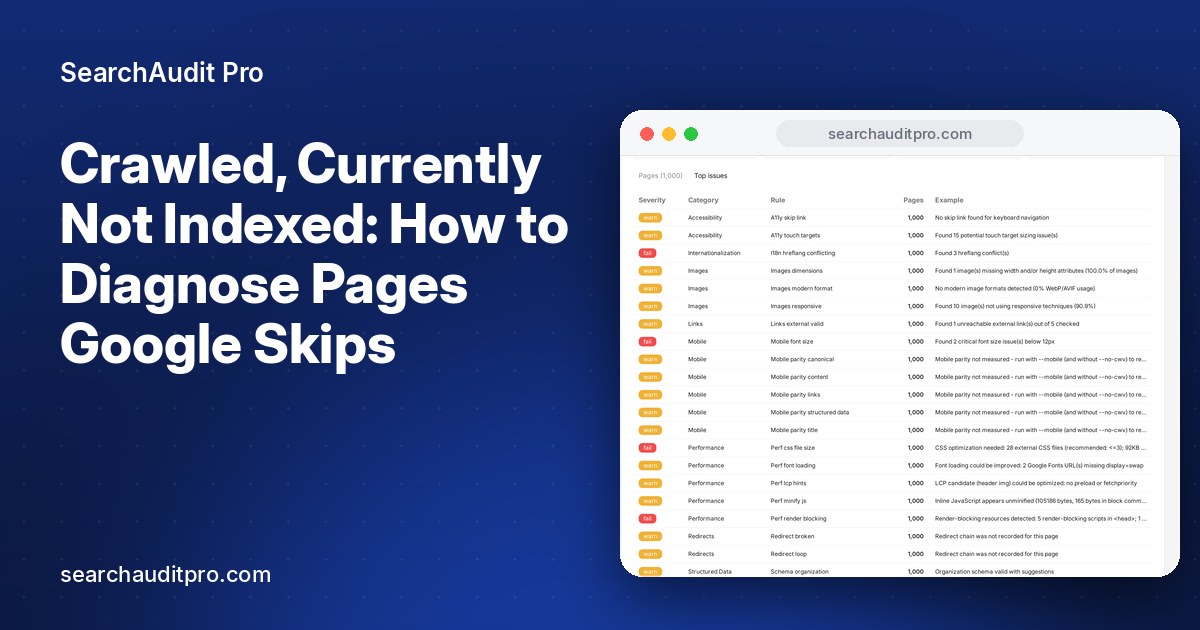
A site audit tool helps with steps four and five, because the signals you need sit in a crawl rather than in Search Console. In SearchAuditPro, a page-by-page audit of up to 1,000 pages shows content length, internal link counts, canonicals, and status codes side by side, so you can line them up against the Search Console export and see which pages share a weakness. For larger sites, auditing a representative section such as one product category or one blog folder is usually enough to find the pattern. You can see how it works at SearchAuditPro.
What not to do
- Do not noindex or delete everything in the report. Some of those pages are valuable and just need stronger signals.
- Do not stuff pages with filler text. Length is not the goal. Pages need to be useful and distinct, which is a different thing from being long.
- Do not rely on indexing request tools as a fix. They can speed up a good page. They will not make Google keep a page it considers redundant.
- Do not treat the count as a score. A stable, explainable number is fine. Focus on whether your revenue-driving pages are indexed.
How to know it worked
Track indexed counts by template, not just in total. If your product pages go from 60% indexed to 85% after you add unique descriptions and link them from category pages, that is a clear result. Pair it with rank tracking for a handful of target queries on those pages, so you can tell whether indexing turned into visibility. Pages that get indexed but never appear for anything relevant have a different problem, usually intent match or competition, and that is worth knowing early.
The short version
Not indexed does not always mean broken. Sort the URLs by what you want them to do, treat Discovered and Crawled as separate problems, and fix issues by template. Internal links, distinct content, clean sitemaps, and a healthy server resolve most cases we see. The rest is patience and a willingness to remove pages that do not earn their place.