Faceted navigation is the set of filters on a category page: size, color, brand, price, rating, availability, sort order. Shoppers love it. Search engines meet it as a machine that can generate a huge number of URLs from a small amount of inventory. If you run an ecommerce store, a real estate listing site, a job board or any directory with filters, this is one of the most common sources of crawl waste and duplicate pages.
This post covers how to inventory your facet URLs, decide which ones deserve to be indexed, pick the right control for each group, and check that the controls work.
Why facets cause trouble
The problem is combinatorial. As an example, picture one category with five filters, each with eight values. If a visitor can pick one value per filter or skip a filter, that is 9 options per filter and 9 to the power of 5, or 59,049, possible filter combinations. Add a sort parameter and a pagination parameter and the count climbs further. The category itself might hold 300 products.
Most of those URLs show the same products in a different order or a slightly different subset. That creates three problems:
- Crawl waste. Googlebot spends requests on near-identical pages instead of new or updated ones.
- Diluted signals. Internal links and external links spread across many variants of the same page.
- Index clutter. Thin or empty filter pages end up indexed and compete with your real category pages.
Small sites with a few hundred URLs may never feel this. Large catalogs usually do.
Step 1: Inventory the facet URLs you actually have
Before changing anything, find out how big the problem is. Crawl the site and group URLs by pattern rather than reading them one at a time.
- Export all URLs that contain a query string or a filter path segment.
- List the distinct parameter names (for example color, size, sort, price, page, sessionid, utm_source).
- Count URLs per parameter and per number of parameters combined. Pages with three or more stacked filters are almost always candidates for exclusion.
- Note the status code, canonical tag, robots directive and title for each group.
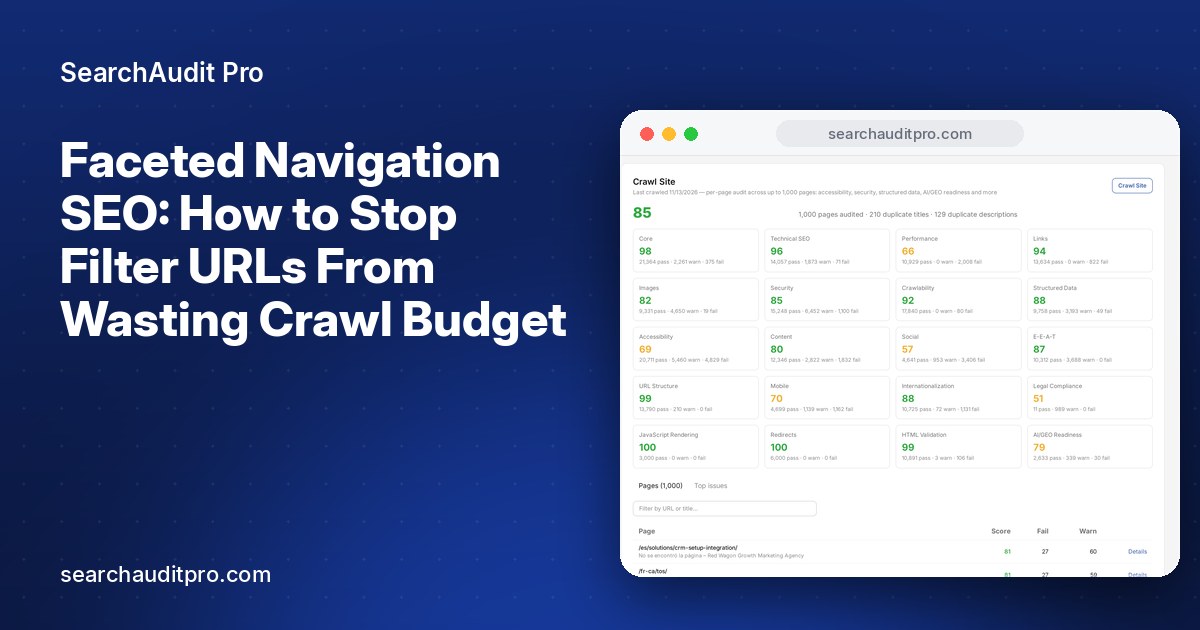
A crawler that limits page counts can still be informative here. If a 1,000-page audit in SearchAuditPro fills up with parameter URLs before it reaches your key product and content pages, that tells you the crawl paths are heavily weighted toward filters. Filtering the results by URL pattern and looking at the canonical and indexability columns gives you the group counts you need for the next step.
Also check Google Search Console. The Pages report and the Crawl Stats report show which URL patterns Google has discovered and how often it requests them. Server logs, if you have access, show the same thing more precisely.
Step 2: Decide which facets deserve to be landing pages
Not every facet is junk. Some filtered views match how people search. "Women's trail running shoes" is a filtered view of a shoe category, and it may deserve its own indexable page. "Shoes sorted by newest, price 50 to 75, size 9" does not.
For each facet or facet combination, ask four questions:
- Is there search demand? Check keyword research for the phrase the filter represents. If nobody searches for it, there is little reason to index it.
- Is the result set distinct? The page should show a meaningfully different set of products, not the same list reordered.
- Is the result set stable and large enough? A page that often shows zero or two items is thin.
- Can it carry unique elements? Think of a custom title, heading and a short intro that fits the filtered view.
In practice the answer is usually: single high-demand facets such as brand, type or a key attribute can qualify. Sort orders, price ranges, availability toggles, session IDs and tracking parameters do not. Combinations of two facets qualify only when you can point to demand.
Step 3: Match each group to the right control
There is no single fix. Each class of URL needs its own treatment, and the tools behave differently, so it helps to be clear about what each one does.
Facets you want indexed
- Give them a clean, stable URL, ideally a static path such as /shoes/trail/womens/ rather than a long query string.
- Use a self-referencing canonical tag.
- Write a unique title and H1 that reflect the filter.
- Link to them with normal crawlable a href links from the parent category, and include them in your XML sitemap.
- Fix the parameter order so the same combination always produces the same URL.
Facets you do not want indexed but that users need
Here you have two main options, and they work in different ways.
- Canonical tag to the parent or preferred page. This lets Google crawl the page and consolidate signals. It is a hint, not a command, and it still spends crawl requests.
- robots.txt disallow. This stops crawling and saves the most crawl budget. The tradeoff is that Google cannot see a canonical or noindex tag on a page it is not allowed to fetch, and a blocked URL can still appear in results if other pages link to it.
For large combination spaces, such as three or more stacked filters, sort orders and tracking parameters, a robots.txt disallow on the parameter pattern is usually the practical choice. For smaller sets where you want link signals consolidated, canonicals work well.
Facets that return nothing
If a filter combination has no products, the page should return a 404 status or the filter option should not be offered. A page that says "no results" but returns a 200 status is a classic soft 404 and adds to index clutter.
Common mistakes to avoid
- Combining noindex with a robots.txt block. If the URL is blocked, Google never sees the noindex. Pick one approach per URL group. If you need noindex to work, the page must be crawlable.
- Canonicalizing to a blocked or redirecting URL. The canonical target should be indexable and return a 200 status.
- Inconsistent canonicals. A canonical that points to the parent on some filter pages and to itself on others sends mixed signals.
- Different parameter orders. If color=red&size=m and size=m&color=red both resolve, you have doubled your URLs for no reason. Enforce one order or redirect to it.
- Blocking too broadly. A sloppy disallow rule can catch URLs you want crawled, including indexable facets or pagination you rely on for product discovery. Test rules against a sample of real URLs before deploying.
- Relying on JavaScript-only filters without thinking it through. Filters that update the page without changing the URL create no extra crawl load, which can be a fine design for non-indexable filters. Just make sure the facets you do want indexed have real URLs and real links.
- Forgetting internal links. Every link to a filtered URL tells crawlers it matters. If your category template links to hundreds of filter combinations, consider reducing those links as well as adding directives.
Step 4: Verify that the controls work
Changes to robots.txt and canonicals can take weeks to show effects, so verify in layers.
- Re-crawl the site. Confirm that blocked patterns are no longer followed, that canonicals on filter pages point where you intended, and that indexable facets have unique titles and self canonicals. Compare the group counts against your Step 1 inventory.
- Spot check with the URL Inspection tool in Search Console on a few examples from each group. Look at the user-declared canonical and the one Google selected.
- Watch the Pages report. Over the following weeks you should see the number of indexed filter URLs trend down and the number of "Duplicate, Google chose different canonical" or "Crawled, currently not indexed" entries settle.
- Check crawl stats or logs. The share of Googlebot requests going to parameter URLs should fall, with more requests reaching products and categories.
- Monitor the facets you chose to index. Track impressions and rankings for those pages. If they get no traction after a reasonable period, reconsider whether they are worth keeping.
Rank tracking helps here too. Add the main keyword for each indexable facet so you can see whether the filtered page, the parent category or nothing is ranking for it.
A simple policy you can document
Teams that handle facets well tend to write down a short rule set so developers and merchandisers do not undo it later. Something like:
- Single-facet pages on approved attributes get static URLs, unique metadata and sitemap inclusion.
- Sort, view, session and tracking parameters are always excluded from crawling.
- Any combination of more than two facets is excluded from crawling.
- Empty result sets return a 404 status.
- New filters need review before launch.
The last rule matters most. Facet problems usually return when someone adds a new filter without thinking about the URLs it creates. A recurring crawl, which you can schedule in SearchAuditPro or any comparable tool, catches that early by showing when parameter URL counts jump between audits.
The takeaway
Facets are not an SEO problem by themselves. Uncontrolled facets are. Inventory the URL patterns, choose the few that match real search demand, give those proper pages, and contain everything else with the control that fits each group. Then verify with a crawl and with Search Console data, and keep a written policy so the fix lasts.