Many sites look fine in a browser and still underperform in search. The cause is often a gap between the HTML the server sends and the HTML that exists after JavaScript runs. If important content, links or tags only appear in the second version, you are relying on a rendering step that can be delayed, can fail, or may not happen at all for some crawlers.
This guide covers how we audit that gap: what to compare, which failures show up most often, and how to decide what to fix. You do not need to be a developer to run the checks, though you will need one for some of the fixes.
Raw HTML versus rendered HTML
When a crawler requests a URL, the server returns raw HTML. This is what you see with View Source in your browser. A browser then runs the page's JavaScript and builds the rendered HTML, which is what you see in the Elements panel of developer tools.
On a traditional server-rendered page the two are nearly identical. On a page built with a client-side framework, the raw HTML may be little more than an empty container and a script tag. Everything meaningful is added later.
Google can render JavaScript, but rendering happens as a separate step after crawling and uses resources Google has to allocate. For most pages that works. The risk is not that Google cannot render, but that your setup gives it more ways to go wrong: blocked files, slow scripts, errors, or content that needs a user action to appear.
Step 1: Pick pages by template, not at random
You do not need to test every URL. Sites are built from templates, and a rendering problem in a template affects every page that uses it. Start by listing your distinct page types:
- Homepage
- Category or listing pages
- Product or service pages
- Blog posts or articles
- Location pages
- Search results or filtered pages
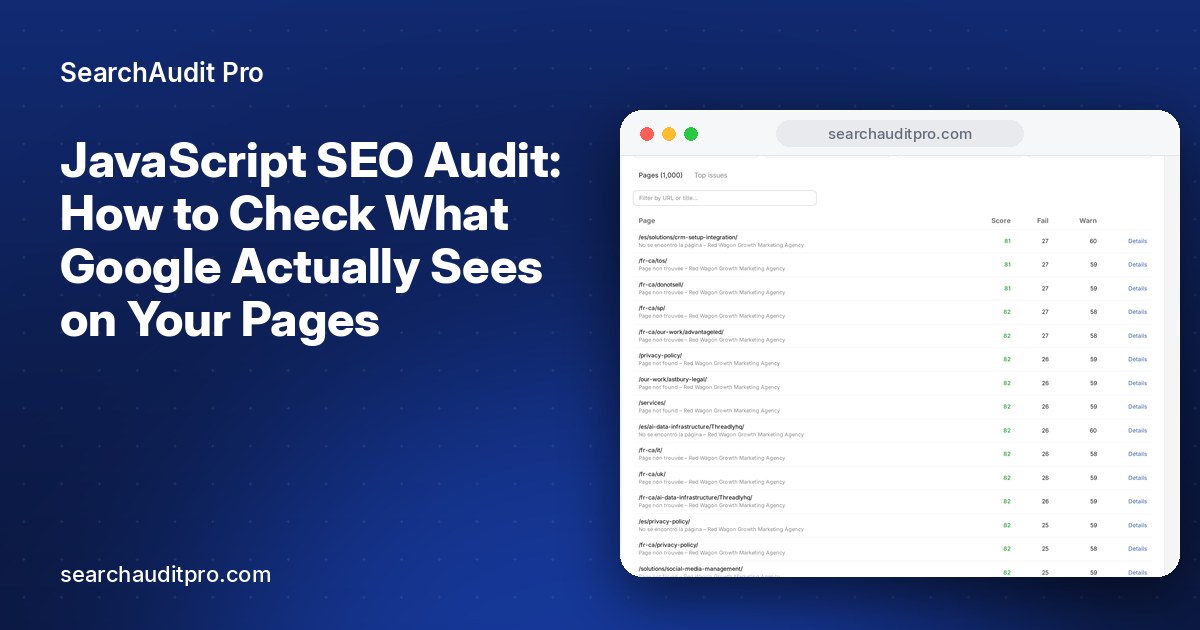
Test two or three examples of each. A page-by-page crawl helps here, because grouping URLs by pattern shows you which templates exist and how many pages each one covers. We use our own SearchAuditPro audits to get that inventory on sites up to 1,000 pages, then sample from it.
Step 2: Compare the two versions
For each sampled page, open View Source and then the rendered DOM in developer tools. Then use the URL Inspection tool in Google Search Console to run a live test and look at the rendered HTML Google reports. Check these elements in both versions:
- Title tag and meta description. Are they present in the raw HTML, or injected later?
- Canonical tag. Does it exist in both, and does it match?
- Meta robots. Is there a noindex in either version?
- H1 and main body copy. Is the primary content in the raw HTML?
- Internal links. Are navigation, related items and pagination real links in the source?
- Structured data. Is the JSON-LD in the source or added by a script?
- Hreflang annotations, if you use them.
Anything that appears only after rendering is a dependency. Dependencies are not automatically problems, but each one deserves a decision.
Step 3: Look for the failures that matter most
Conflicting directives between raw and rendered HTML
This is the most damaging case. A page ships with index in the raw HTML, and a script later changes it to noindex, or the reverse. Google's guidance is that if the raw HTML contains noindex, it may skip rendering altogether, so JavaScript that tries to remove it can be ignored. Keep indexing directives and canonical tags consistent, and put them in the server response.
Links that are not links
Crawlers discover pages by following <a> elements with an href attribute. Navigation built from buttons, divs with click handlers, or links whose href is empty or a fragment does not give crawlers a path. These pages may only be found through your sitemap, which weakens their internal link signals. Search your rendered HTML for the elements your menus and cards actually use.
Content that needs interaction
Crawlers do not click tabs, expand accordions that fetch data on click, or scroll endlessly to trigger loading. If product descriptions, reviews or the second half of an article load only after such an action, assume they may not be seen. Content that is in the DOM but visually hidden by CSS is a different and safer case than content that is not fetched until a click.
Blocked resources
If your robots.txt blocks the scripts, stylesheets or API endpoints a page needs, Google may render an incomplete version. The URL Inspection tool lists page resources that could not be loaded. Treat any blocked file that affects content as a bug.
Soft errors in single-page apps
A client-side app often returns a 200 status for every route, including URLs that should be a 404. A missing product then shows a friendly "not found" message with a 200 status. Google may eventually treat these as soft 404s, but you can prevent the ambiguity by returning a real 404 status from the server, or by redirecting to a relevant page where one exists.
Fragment-based URLs
Google does not treat content after a # as a separate page. If distinct views share one URL apart from a fragment, they will be treated as one page. Each indexable view needs its own path.
Step 4: Decide how much it matters
Not every dependency needs fixing. We rank them by two questions: does the element affect indexing or discovery, and does the page depend on it to rank?
- Fix first: indexing directives, canonicals, internal links, and the main content of pages you want to rank.
- Fix next: titles, headings and structured data that only appear after rendering.
- Often leave alone: chat widgets, personalisation, related-item carousels and other supplementary content.
A useful test is to ask what the page would look like to a search engine if every script failed. If the answer is a blank page, the template needs work. If the answer is a complete page missing a few extras, you can probably move on.
Step 5: Choose a fix that fits the site
The right remedy depends on your stack and resources.
- Server-side rendering. The server sends complete HTML and JavaScript then takes over in the browser. This is the most robust option and works for every crawler.
- Static generation. Pages are built ahead of time. It suits content that changes infrequently.
- Prerendering specific templates. A practical middle ground when a full rebuild is not realistic. Prioritise the templates that drive organic traffic.
- Small targeted changes. Often the fix is modest: output real anchor tags, move the canonical into the server response, or return proper status codes.
Serving different content to bots than to users, sometimes called dynamic rendering, was once a common workaround. Google now describes it as a workaround rather than a recommended solution, so treat it as a temporary measure at most.
Do not forget other crawlers
Googlebot is not the only visitor. Many AI crawlers and other bots fetch pages without running JavaScript, though behaviour varies by provider and changes over time, so check the documentation of the ones you care about. If your content only exists after rendering, it may be invisible to those systems even when Google handles it. That matters if you track how often your brand and pages appear in AI answers. Putting key content in the initial HTML is the safest way to be readable everywhere.
Verify after the fix
Once changes ship, repeat the comparison on the same sample pages:
- Confirm the raw HTML now contains the title, canonical, main copy and links you expected.
- Re-run the live test in URL Inspection and compare the rendered output.
- Recrawl the site and check that internal link counts and discovered URLs rose where they should.
- Watch indexing reports over the following weeks for changes in the affected templates.
A recrawl matters because a fix on one template can break another, and it is far cheaper to catch that in a scheduled audit than after traffic drops. Running the same audit before and after a release gives you a clear record of what changed.
A short checklist to keep
- List page templates and sample two or three of each.
- Compare View Source with rendered HTML for tags, copy and links.
- Confirm indexing directives and canonicals agree in both versions.
- Check that every navigational link is an anchor with a real href.
- Look for content that loads only on click or scroll.
- Make sure no needed scripts or endpoints are blocked in robots.txt.
- Return real 404 statuses for missing pages.
- Retest after each release.
JavaScript is not an SEO problem in itself. The problem is leaving critical signals dependent on a step you have not verified. Checking the gap between raw and rendered HTML, one template at a time, tells you where the real risks are and keeps developer time focused on the fixes that matter. If you want a page-level inventory to start from, you can run a site audit with SearchAuditPro and work through the templates it surfaces.